Understanding Web Accessibility: Why It Matters for Everyone
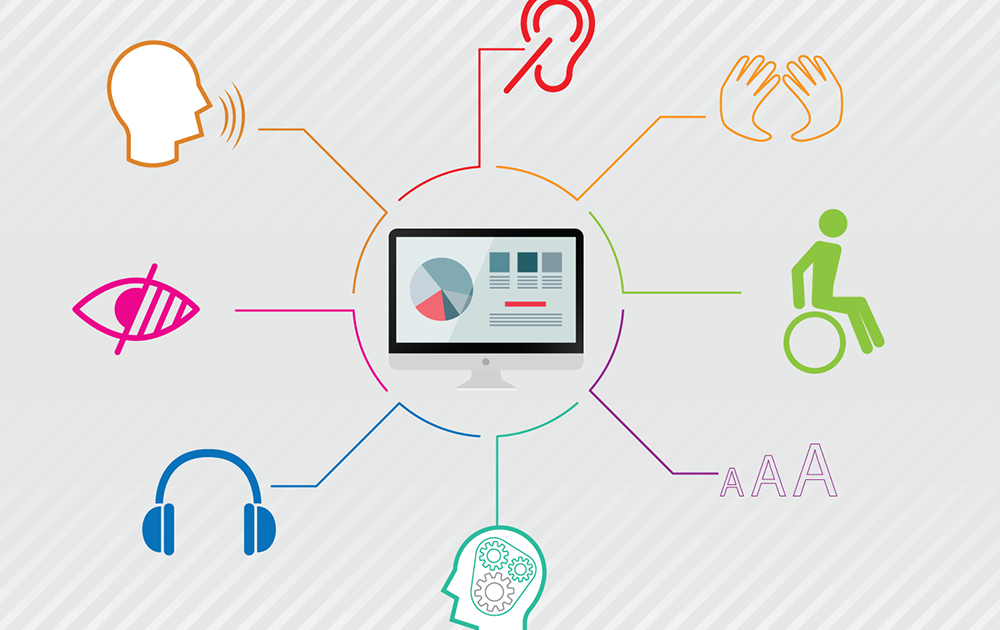
Web accessibility refers to the practice of making websites usable for everyone, including individuals with disabilities. This entails designing and developing websites that can be easily navigated and understood by all users, regardless of their abilities or disabilities. By prioritizing accessibility, we ensure that people with visual, auditory, cognitive, or motor impairments can interact with digital content just as effectively as those without disabilities. Creating an inclusive online environment not only enhances user experience but also fosters a sense of belonging and equality in the digital landscape.
Understanding web accessibility is crucial for several reasons:
- Legal Compliance: Many countries have regulations that require websites to be accessible, reducing the risk of legal issues.
- Wider Audience Reach: By making websites accessible, businesses can attract a larger audience, including individuals with disabilities.
- Improved SEO: Many accessibility best practices, such as alternative text for images, also contribute to better search engine optimization.
In conclusion, web accessibility is not just a moral imperative; it is essential for businesses and organizations to thrive in an increasingly digital world.
10 Key Principles of Web Accessibility You Should Know
Web accessibility is essential for creating an inclusive online experience, ensuring that everyone, including those with disabilities, can access information and services. Here are 10 key principles of web accessibility that you should know:
- Perceivable: Users must be able to perceive the information presented. This includes providing text alternatives for non-text content, using sufficient contrast, and offering adaptable layout features.
- Operable: User interface components must be operable. This means that functionality should be available through various means, including keyboard navigation.
- Understandable: Information and operation should be understandable. This principle focuses on clarity in language, consistent navigation, and error prevention strategies.
- Robust: Content must be robust enough to function reliably across various user agents and assistive technologies.
- Consistent Navigation: Ensure consistent navigation throughout your website to help users familiarize themselves quickly.
- Alternative Text: Use appropriate alternative text for images and media, aiding those who rely on screen readers.
- Captioning: Add captions and transcripts for audio and video content for users with hearing impairments.
- Flexible Layout: Design your content to be responsive, adapting to different screen sizes and orientations.
- Keyboard Accessibility: Ensure that all functionalities are accessible via keyboard alone, catering to users who cannot use a mouse.
- Error Identification: Provide clear error identification and suggestions for correction to allow users to navigate efficiently.
Is Your Website Accessible? A Quick Self-Assessment Guide
In today's digital landscape, ensuring that your website is accessible is not just a legal requirement but also a moral imperative. A well-designed accessible website can significantly widen your audience by catering to users with diverse needs. To start your self-assessment, consider these key elements:
- Keyboard Navigation: Can users navigate your site without a mouse?
- Alt Text for Images: Are your images equipped with descriptive alt text for screen readers?
- Readable Fonts: Is your text easy to read against the background, with sufficient contrast?
Next, evaluate the usability of your website on various devices and with different assistive technologies. Check for responsive design to ensure that your site maintains its functionality on smartphones, tablets, and desktops alike. Additionally, consider testing your site using tools that simulate how individuals with disabilities experience the web. A good practice is to solicit feedback from users who rely on assistive technologies; their insights can help you pinpoint areas for improvement and enhance overall site accessibility.